The Dashboard
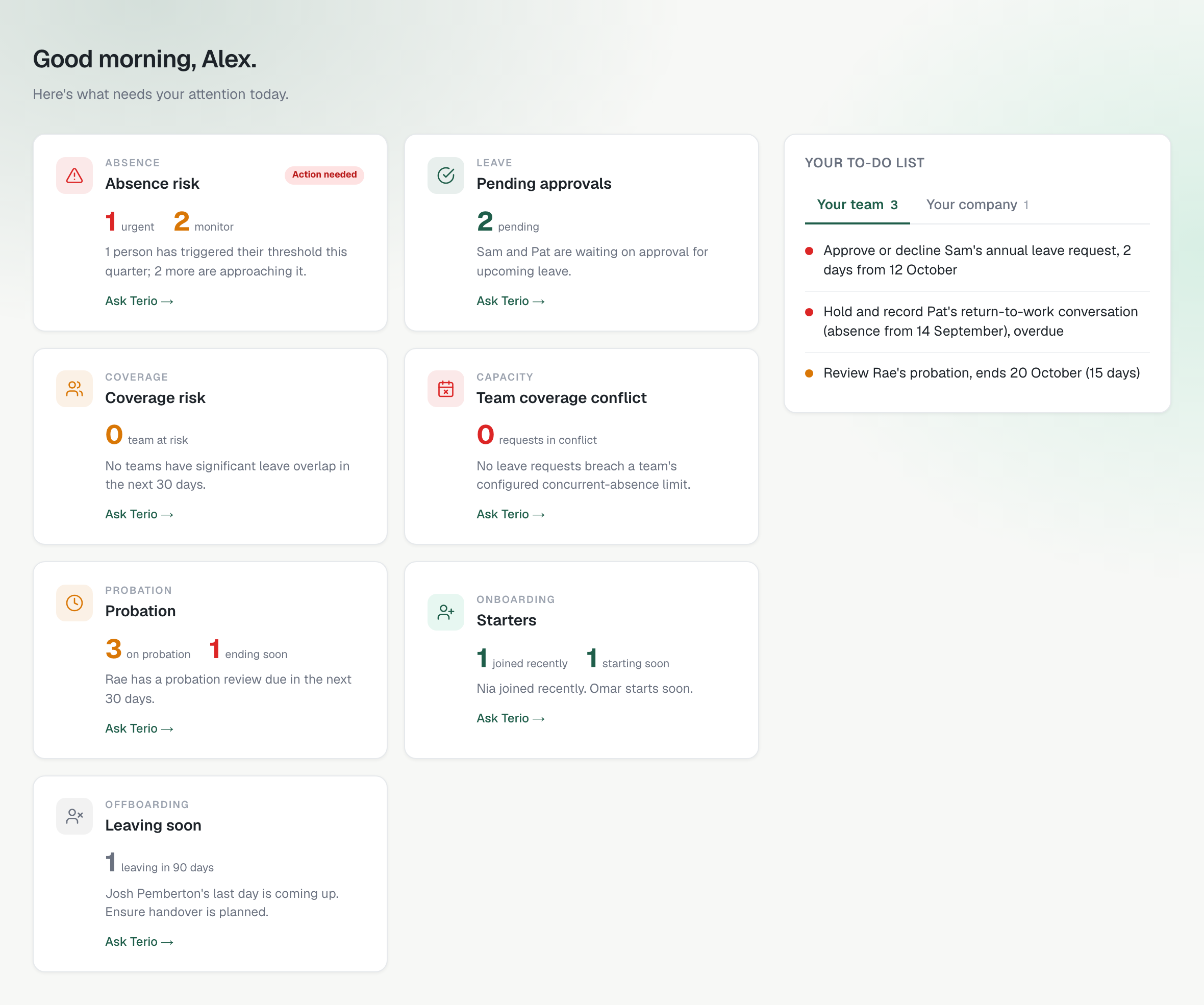
Admins and managers land on the dashboard. Tiles on the left summarise your people; your to-do list is on the right (and comes first on a phone).
The tiles
- Absence risk: people who have reached their absence trigger, and people close to it.
- Pending approvals: leave requests waiting for a decision.
- Coverage risk and team coverage conflict: overlapping leave that leaves a team thin, or breaks a team's limit on people off at once.
- Probation: who is on probation and whose review is due in the next 30 days.
- Starters: people who joined recently or start soon.
- Leaving soon: people with a leaving date in the next 90 days.
Click a tile and Terio answers in chat with the detail. A manager's tiles cover their direct reports to start with; use the filter above the tiles (Direct reports or Whole reporting line) to include the people further down their line too. An admin's cover everyone.
The to-do list
Your to-do list has two tabs. Your team holds the things to do for your direct reports. Your company holds everything else you see because of the reporting line: for a manager, the people further down their line; for an admin, everyone else. Red items are urgent, such as a return-to-work conversation that is overdue, and each tab shows how many items it holds.
Example query
What's on my to do list?
Gives you the same list in chat.