Your First Sign-In
Choosing a password
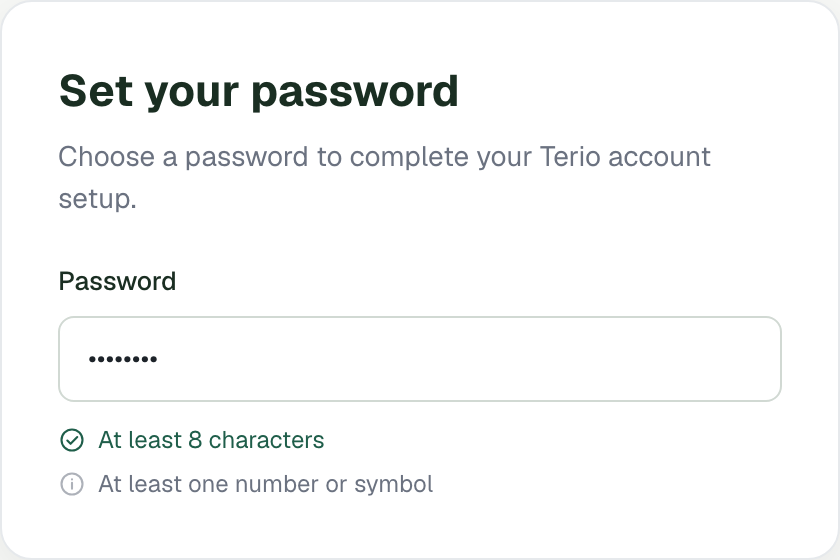
The invitation link takes you to a page to choose your password. The rules are listed beside the field and tick off as you meet them: at least 8 characters, and at least one number or symbol. The same rules apply when you reset a forgotten password.
Where you land
- Employees start in chat, where Terio answers questions and handles requests.
- Admins and managers start on the dashboard, which shows what needs them today. The very first time, you start in chat for the welcome conversation and the tour. The Terio logo at the top left always takes you home.
The product tour
The first time you sign in, a short tour highlights the real parts of the screen one at a time, with a few words about each: the chat box, the canvas, your conversations, starting a new chat, the dashboard (admins and managers), policies (admins) and your menu. The first step explains what the chat is for. It does not ask you to type anything: the tour is only there to show you around.
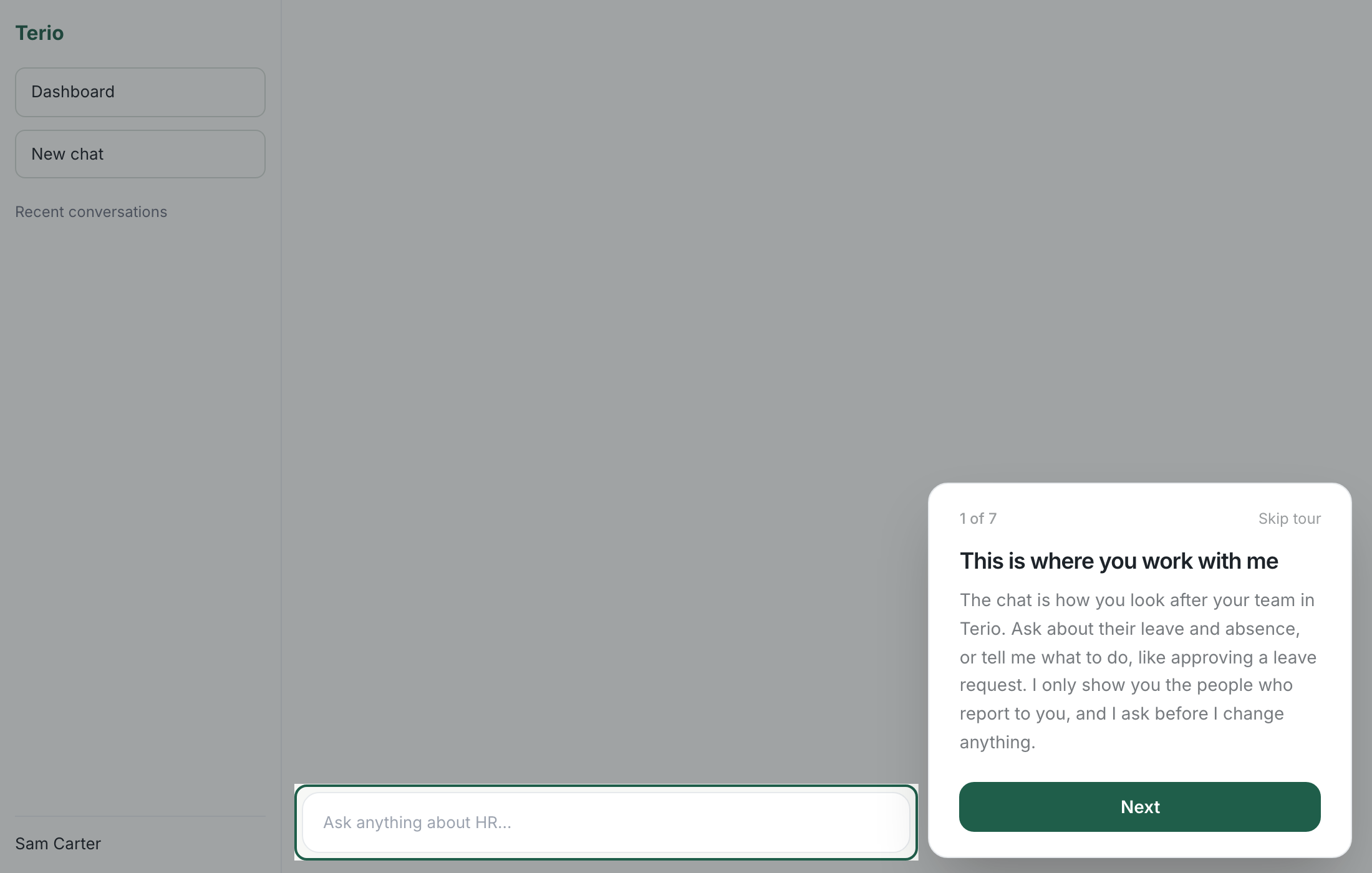
- Use Next and Back, or the arrow keys, to move through it, and Skip tour or Escape to leave.
- To see it again at any time, open your menu (bottom left) and choose Take the tour.
On a small screen, where the sidebar or canvas is hidden, those steps appear as a simple card instead.